Skip to content

Open beta · free while we test

Walk through your flat before you change a thing.

Upload your floor plan and, on clean drawings, Flatapult finds the walls and the scale for you. Furnish the rooms, then step inside in 3D on any device.

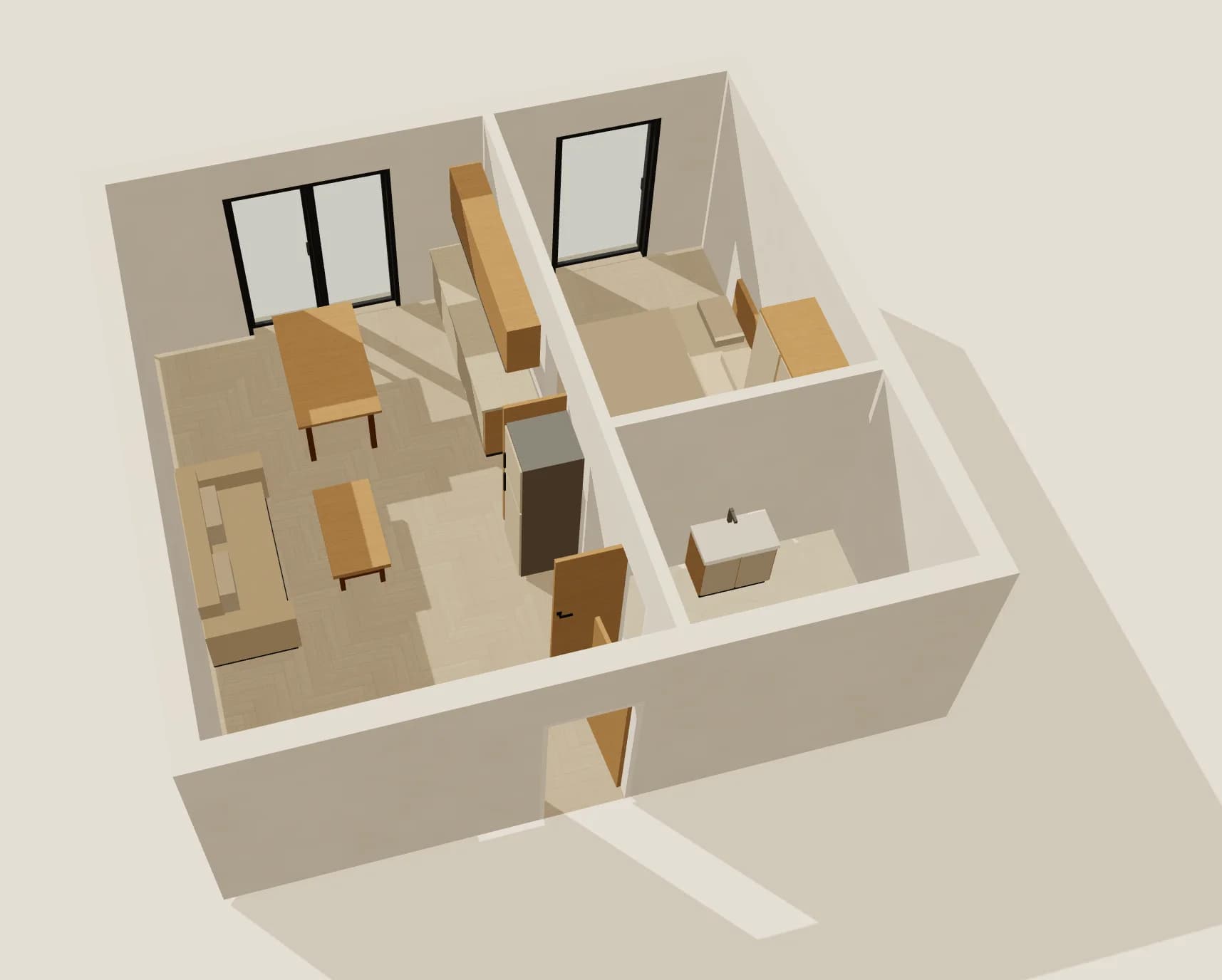
Or walk through the 41 m² sample flat right now, no sign-up needed.

3D view of a furnished two-room flat built in the Flatapult editor

From the drawing in your inbox to the front door

Four steps, a few minutes, and no 3D software to learn.

  1. Upload your floor plan

    Drop in a PDF, a JPG or a photo of the drawing you got from the developer or the agent.

  2. Check the walls and the scale

    On clean drawings Flatapult reads the printed dimensions and traces the walls. Fix anything by dragging it or typing a length.

  3. Add doors, rooms and furniture

    Place doors and windows, name the rooms, then furnish every room in one click and move pieces where you want them.

  4. Step inside

    Turn the plan into 3D, look around and walk from room to room, opening doors on the way.

Everything you need to picture your flat

Every image on this page is a screenshot of Flatapult itself.

From a drawing to a clean plan

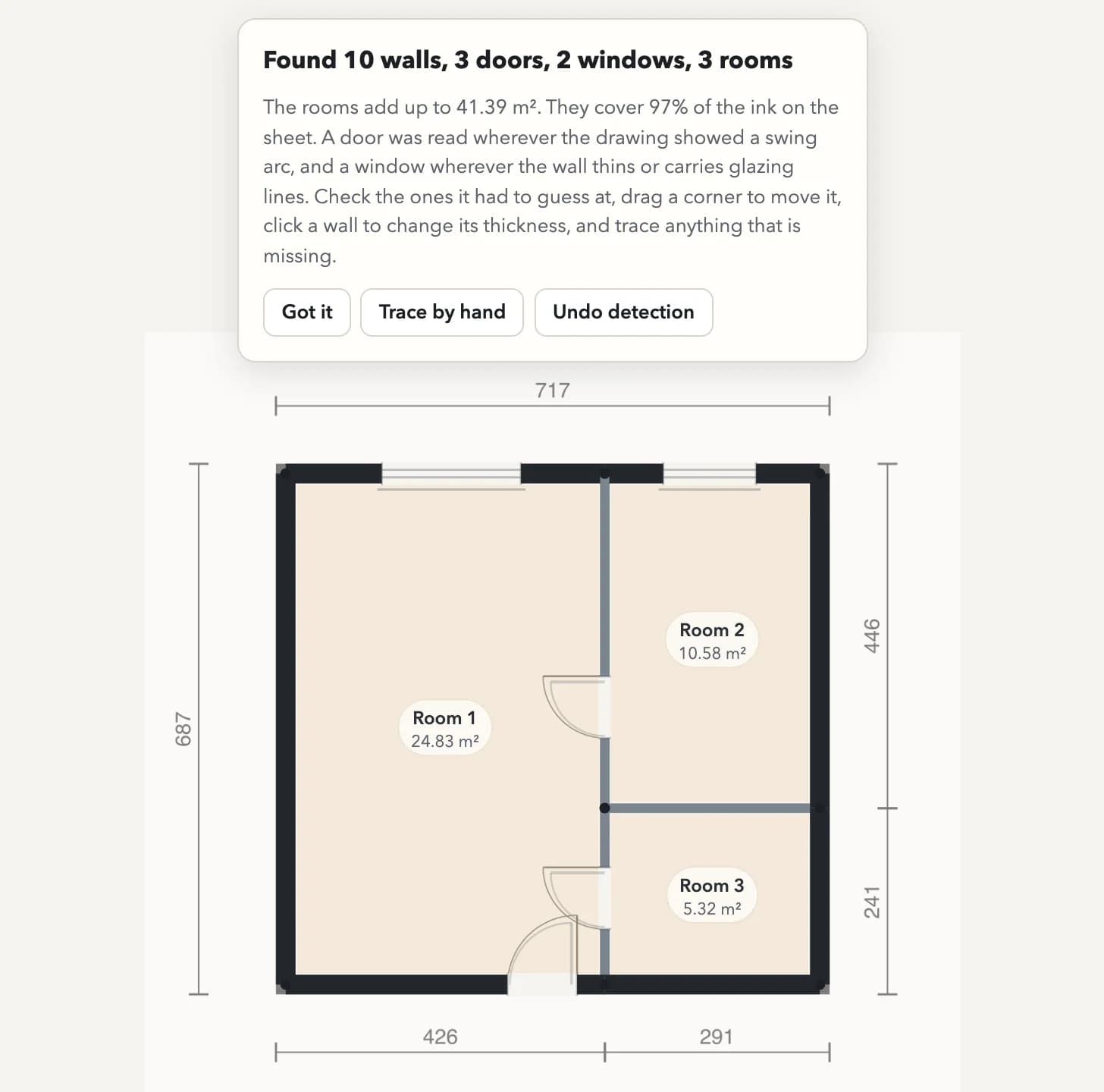
Upload the floor plan you already have and get a measured plan you can work with in minutes.

  • The scale is read from the dimensions printed on the drawing
  • On clean drawings, walls, doors and windows are found for you
  • Everything stays editable: drag a corner or type an exact length
  • Every room shows its name and area as you go
Walls, doors, windows and rooms that Flatapult found on an uploaded drawing, with a summary of 10 walls, 3 doors, 2 windows and 3 rooms

Furniture that finds its place

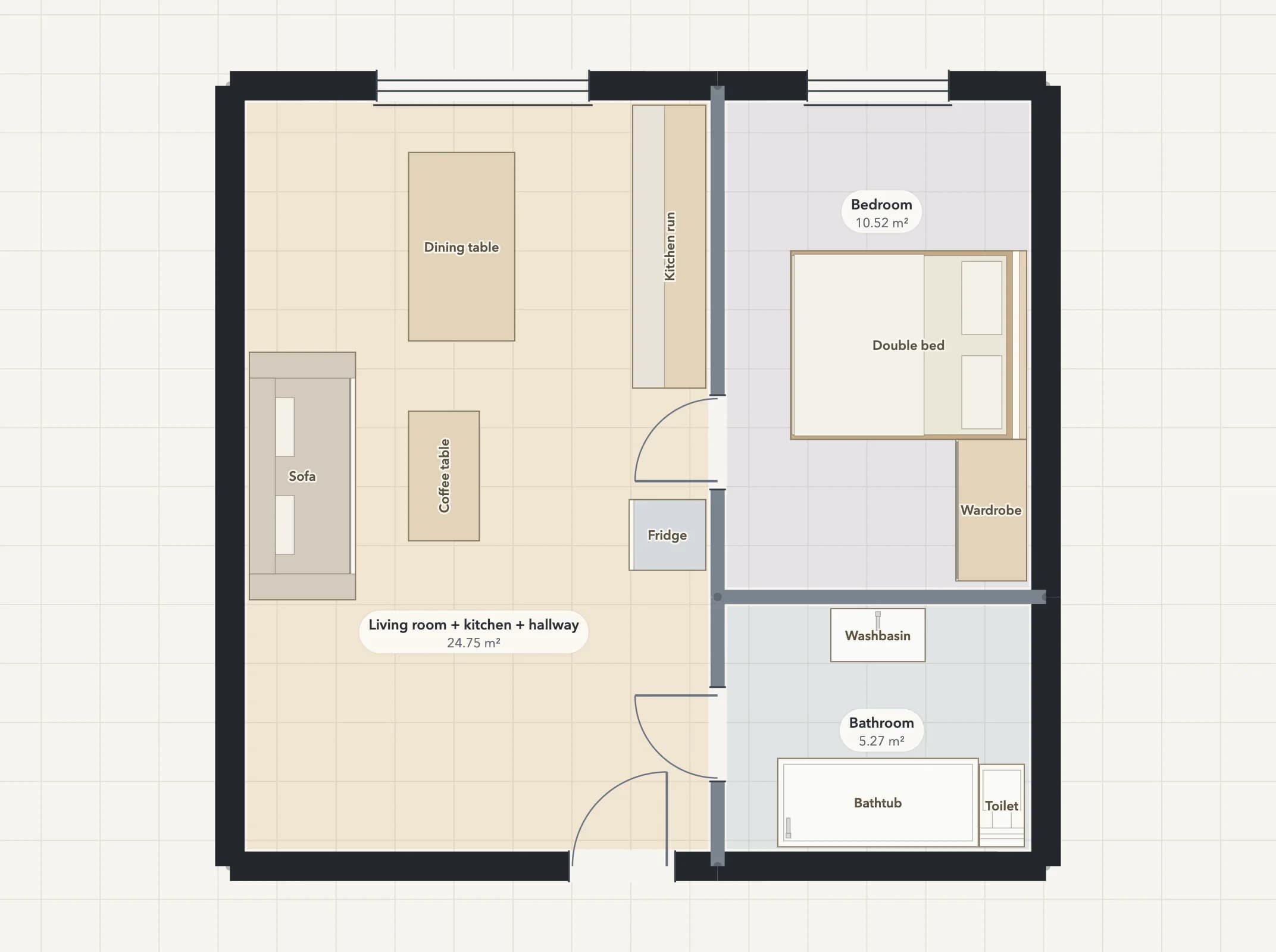
See what fits before anything is delivered.

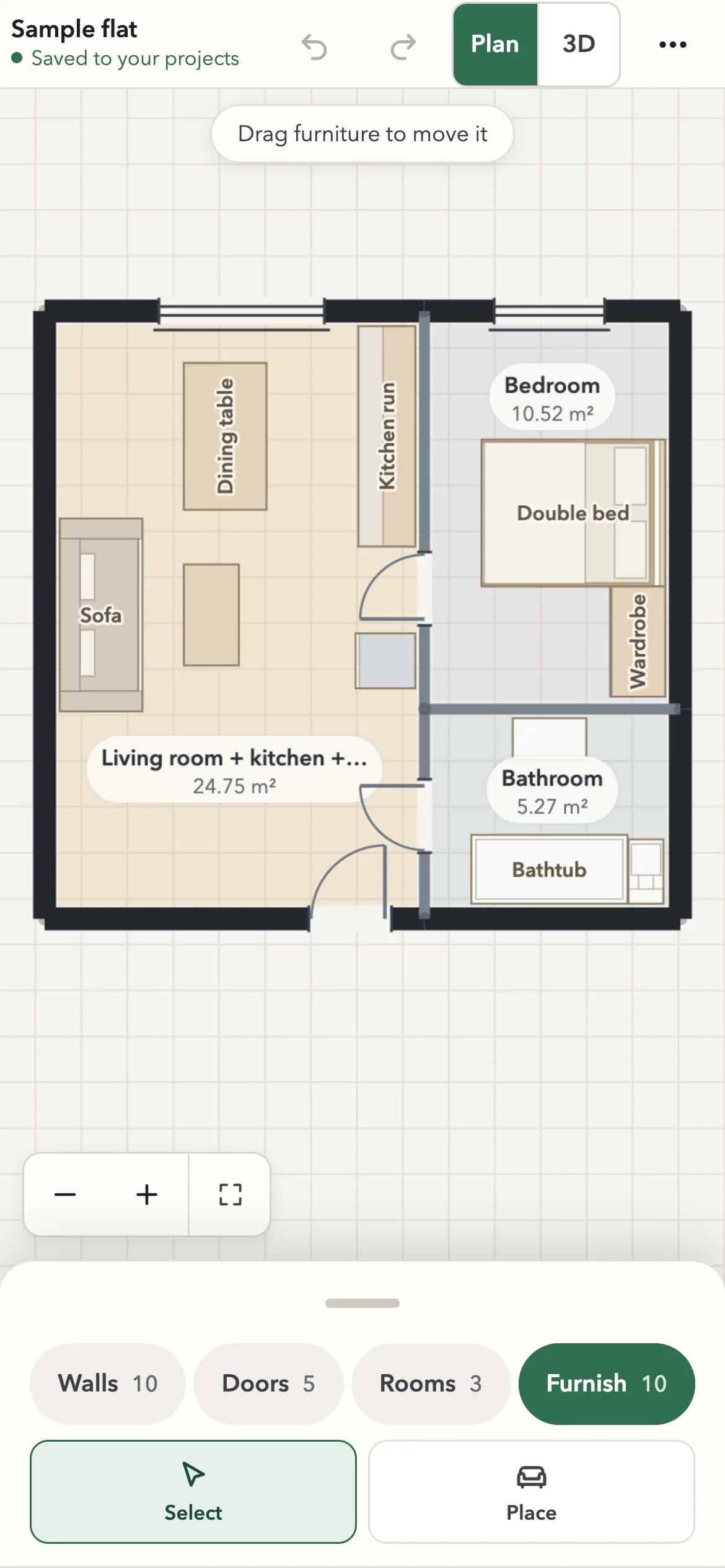
  • Auto-furnish fills each room with pieces that suit it
  • Sofas, beds, wardrobes, kitchen runs, bathtubs and more
  • Drag a piece and it settles against the nearest wall
  • A red tint tells you when two pieces overlap
A plan furnished in one click: sofa, dining table, kitchen run, bed, wardrobe and bathtub, with room names and areas

Step inside in 3D

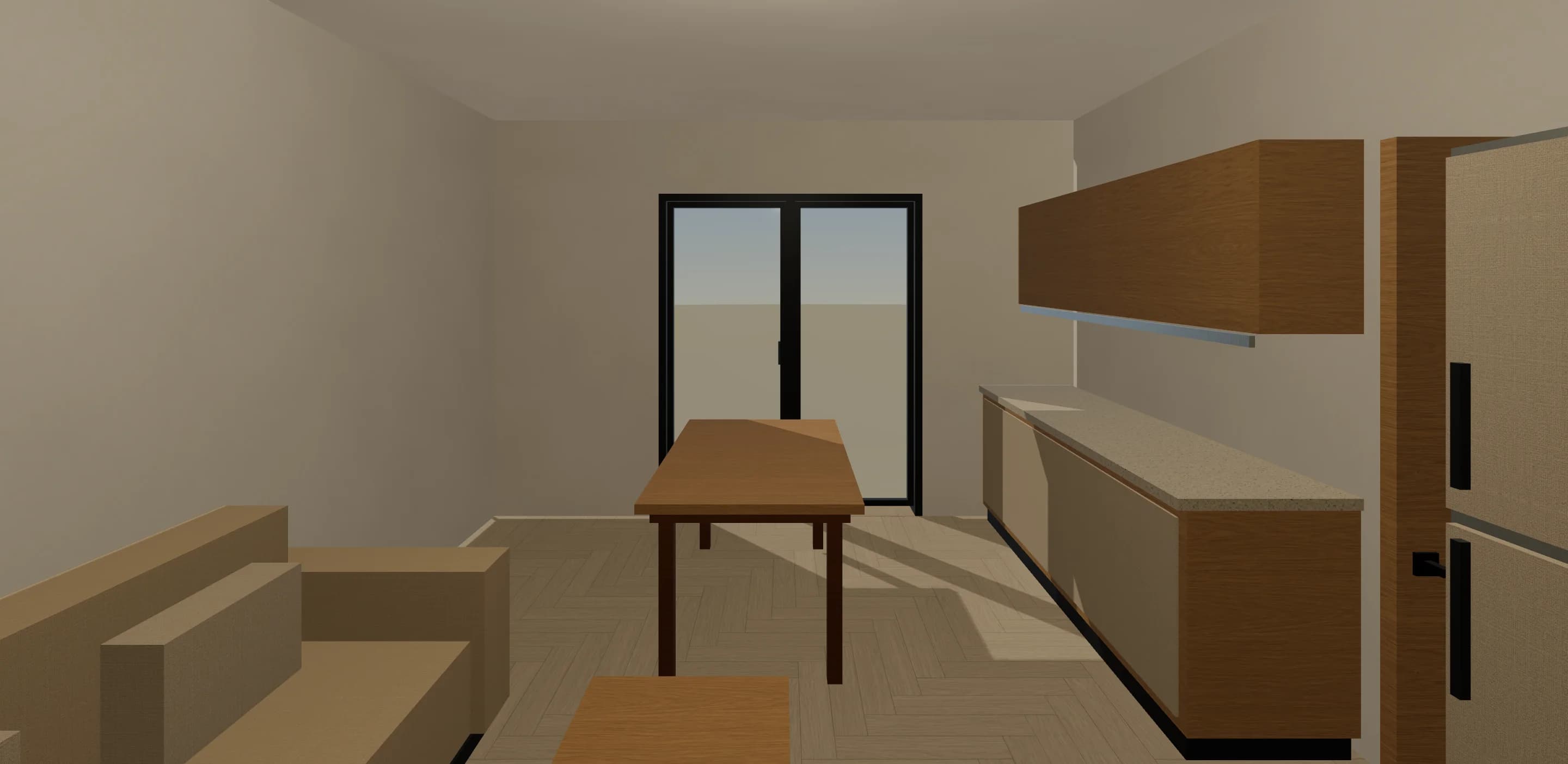
Check proportions from where you will actually stand.

  • See the whole flat in 3D right next to the plan
  • Walk through it in first person and open doors, cabinets and windows
  • Check dimensions and jump between rooms
  • Switch to a plan view whenever you need your bearings
First-person walkthrough of the living room with the kitchen run and the dining table

Your projects on every device

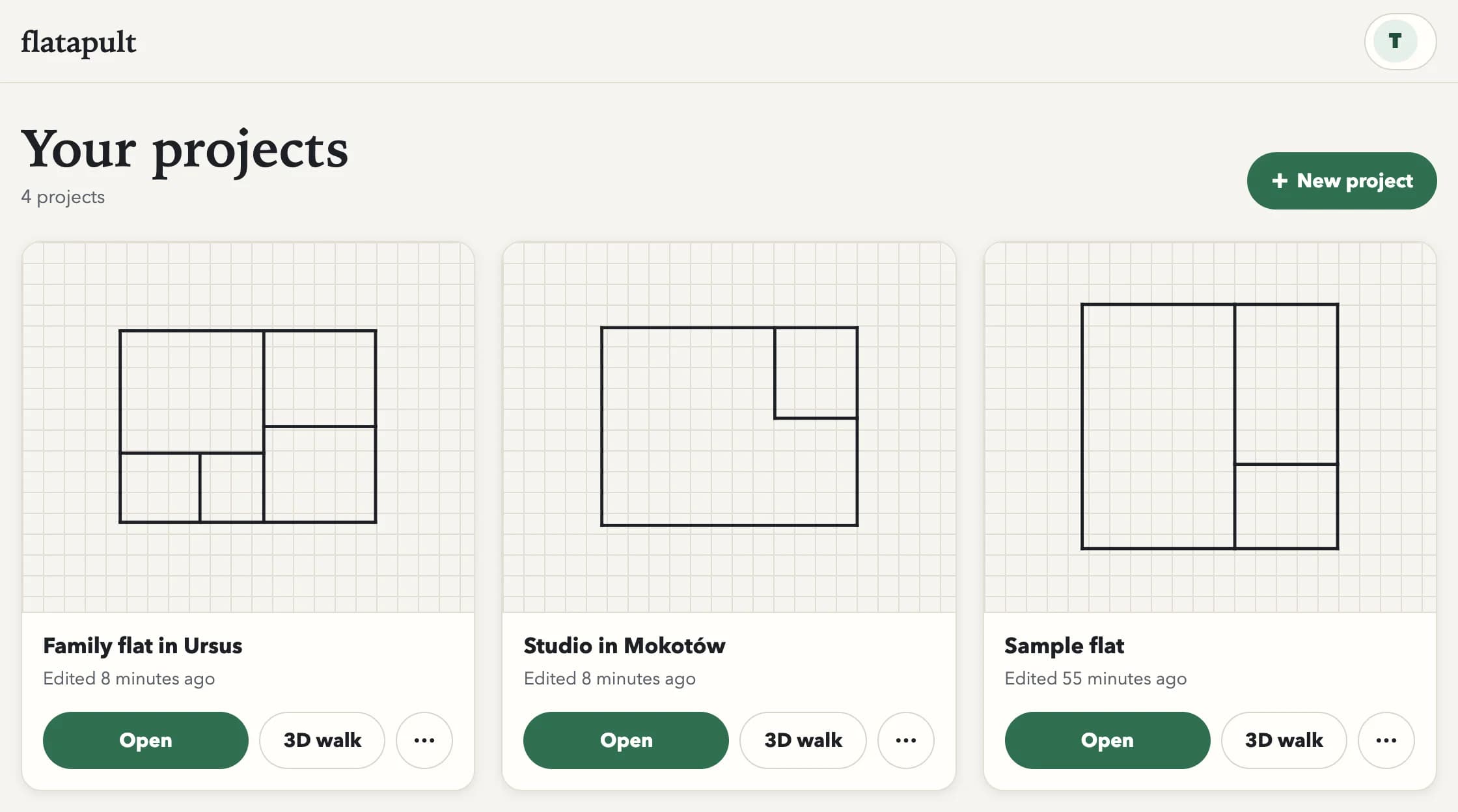
Projects live in your account and open on a laptop, a tablet or a phone. On a phone you get the real editor, built for fingers as much as for a mouse.

  • Pinch to zoom, drag with one finger, a precise mode for exact corners
  • Start on a laptop and pick it up on your phone later
  • Share a read-only link and a 3D walk with anyone
The Flatapult project list with saved flats, each with a plan thumbnail and buttons to open it or walk through it in 3D
The full Flatapult editor on a phone, with the plan above and the tools in a sheet below

Flatapult is in open beta, and you are invited.

Anyone can take part. Create a free account, start a project and keep it while Flatapult grows around it.

  • Free while the beta lasts. No card, no trial clock.
  • Your projects are saved in your account and open on any device
  • We ship improvements regularly, so expect the odd rough edge
  • Coming next: choosing wall and floor materials, then kitchen layouts

Made for the people who will live there

  • Moving into a new flat

    See how your furniture fits before the delivery van arrives.

  • Planning a renovation

    Try another layout, move a door or a wall, and walk through the result.

  • Choosing a flat to buy or rent

    Turn the agent's floor plan into rooms you can stand in.

Questions before you start

Short answers about the beta, your plans and your account.

Is Flatapult free?

Yes. Flatapult is in open beta and free for everyone while we test it.

Do I need an account?

Not to try it. The editor works without one. Create a free account to save your projects and open them on any device.

What kind of floor plan can I use?

A PDF, a JPG or a clear photo or scan of the drawing. Flatapult reads the scale from the printed dimensions; if it cannot, you mark one length you know.

Does it find the walls automatically?

On clean drawings it detects the walls and the openings for you. Everything stays editable, so you can fix or redraw any wall by hand.

Does it work on my phone?

Yes. The full editor works on phones, tablets and computers, and the 3D walkthrough runs in the browser, so there is nothing to install.

Who can see my plans?

Your list of projects is private to your account. Other people can see a plan only if you send them its link.

What does open beta mean?

Flatapult works today and anyone can use it, but it is still changing. Expect regular improvements and the occasional rough edge.

Questions or feedback on the beta?

Write to us with any question about Flatapult. Tell us how the beta works for you, what gets in your way and what is missing. Your messages decide what we build next.
contact@flatapult.com

See your flat before you change it.

Create a free account and start your first project in a few minutes.